
One home for every agent.
Each agent keeps its own skills, MCP servers, plugins, hooks and CLIs. HarnessKit shows them all in one window. One click adds them to another agent.
Free and open source · Runs on macOS, Windows, Linux and in your browser
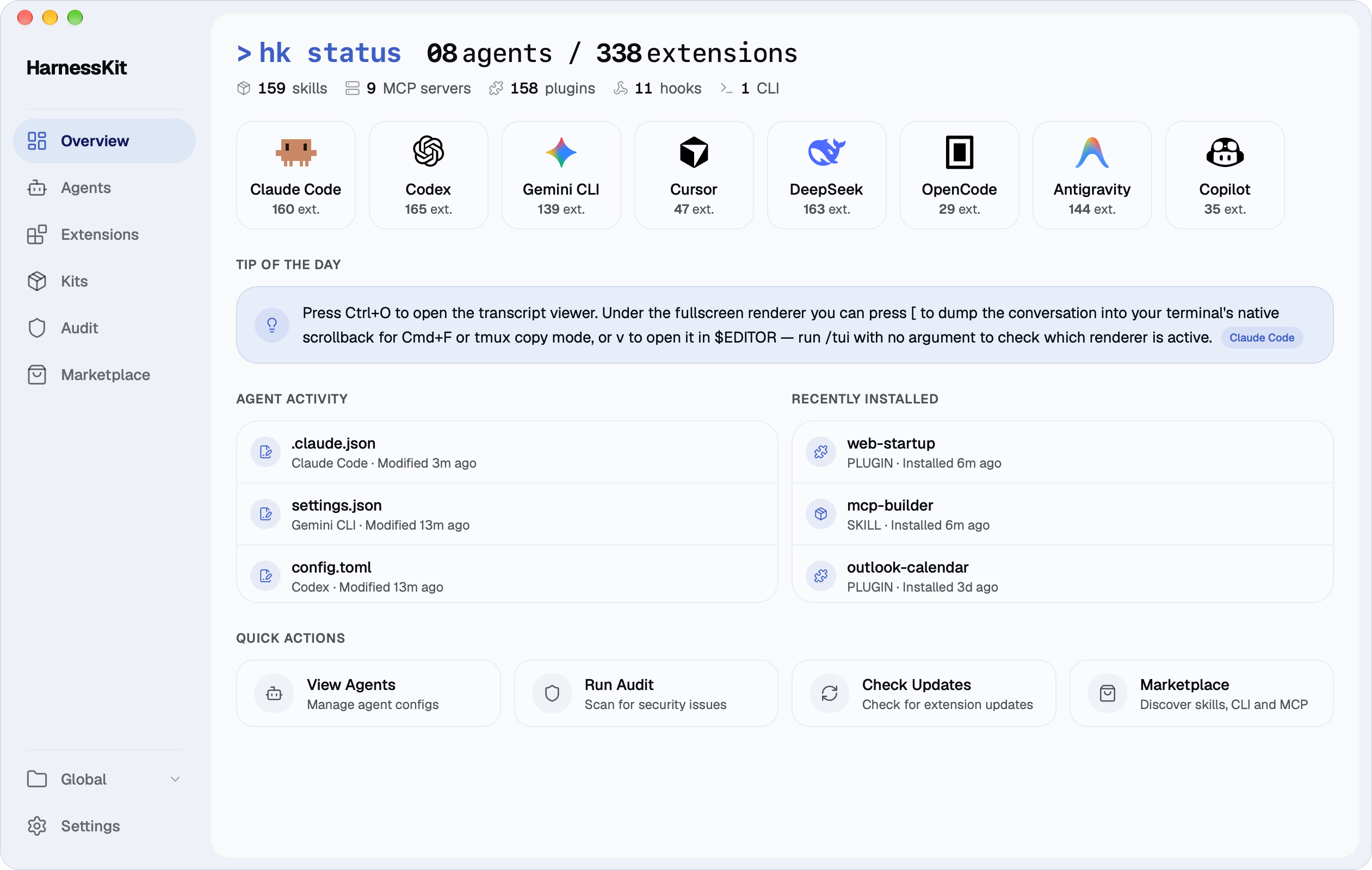
Works with the agents you use
Hover or click a card.Tap a card.Arrow keys move between them.
The more you install, the less you see.
Each agent installs its own skills, MCP servers and other extensions. The same extension ends up in several places.
Claude Code
Codex
Cursor
Gemini CLI
Copilot
 HarnessKit
- Your agents’ files stay put.
- No account, no cloud.
- Uninstall HarnessKit and your agents keep their setup.
Add a skill, MCP server or hook to another agent in one click.
See which agents have each extension. HarnessKit writes it the way the other agent expects.
How extensions workKnow what each extension can do.
Each extension gets a Trust Score from 0 to 100, and you can see exactly what lowered it.
How scores work20 safety checks behind every score.
Runs where your agents run.
Use it as a Mac or Windows app, or open it in your browser, even when your agents live on a remote server, or stay in the terminal with the hk command.
 HarnessKit
 HarnessKit · my-server
A few more things
Kits
Save a setup and reuse it in a new project.
Marketplace
Find new skills and MCP servers, with third-party safety scores for skills.
Per-project setups
Give a project its own setup, or use one everywhere.
Instructions & memory
See the instructions and memory each agent reads.
Update checks
Check every skill you installed for a newer version.
Which version should I download?
If you use your agents on your own Mac or Windows computer, download the desktop app. If they run on Linux or a remote server, install the command-line version: it prints a link that opens the same interface in your browser. The Windows installer isn’t code-signed yet, so Windows may show a warning the first time you run it: select More info, then Run anyway.
Is HarnessKit free?
Yes. HarnessKit is free and open source under the Apache-2.0 license. It requires no account and has no paid plan.
What languages is HarnessKit available in?
The interface is available in English, Simplified Chinese and Traditional Chinese. It follows your system or browser language by default, and you can change it in Settings → Language, in the desktop app or in your browser.
Will HarnessKit change my existing setup?
Only when you ask it to. HarnessKit reads your agents’ files to show what’s installed, and writes to them only when you install, update, enable, disable or delete something, or add a Kit to a project. Changes go into each agent’s own files, which stay where they are. HarnessKit doesn’t move them into its own storage or replace them with links, and anything you disable can be re-enabled. See what changes on disk.
Do my configs or API keys leave my computer?
No. HarnessKit runs on your computer, and so does its security audit: your files, configs and keys are never uploaded, and no usage data is sent. It goes online only to check for updates, load the Marketplace, download what you install and make a few small lookups. See the full list.
If I stop using HarnessKit, will my agents still work?
Yes. Your agents read their own files directly and never depend on HarnessKit. Remove it, and every agent keeps the setup it had. Only what you disabled needs attention: re-enable it before you uninstall.
Can I use HarnessKit on a remote server?
Yes. Install it on the server and open it in the browser on your own computer. The setup guide walks through the steps.
My agent isn’t supported. What can I do?
Open an issue and tell us which agent you use. You can also add support yourself: the adapter guide explains how.

Start with the agents you already have.
Open HarnessKit and it finds them. There’s nothing to move or set up.
Free and open source · Runs on macOS, Windows, Linux and in your browser